

5 Strategies to Gain 1k Followers Fast
Stop guessing which tactics drive growth and start executing proven mechanics with Pro Traffic Builder. This section breaks down five specific, actionable strategies designed to leverage the tool’s core features for rapid audience expansion.
-
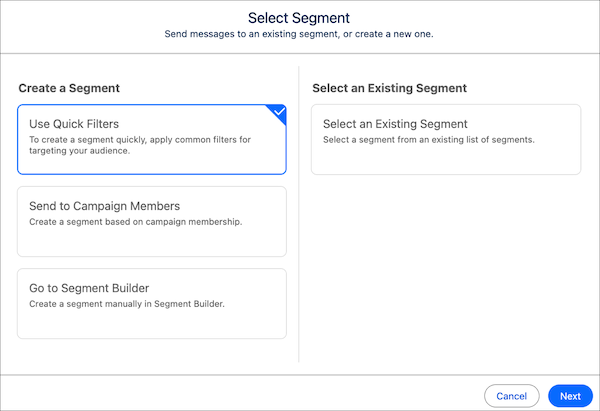
Configuring Pro Traffic Builder audience filters
Precision targeting prevents wasted impressions. Use Pro Traffic Builder’s Segments panel to define hyper-specific demographics, interests, and behaviors. Select the Marketing Segments interface to isolate high-intent users likely to engage. This granular control ensures your content reaches people actively seeking your niche, rather than casting a wide net. By narrowing your audience parameters, you increase relevance and conversion potential for every post you publish. -
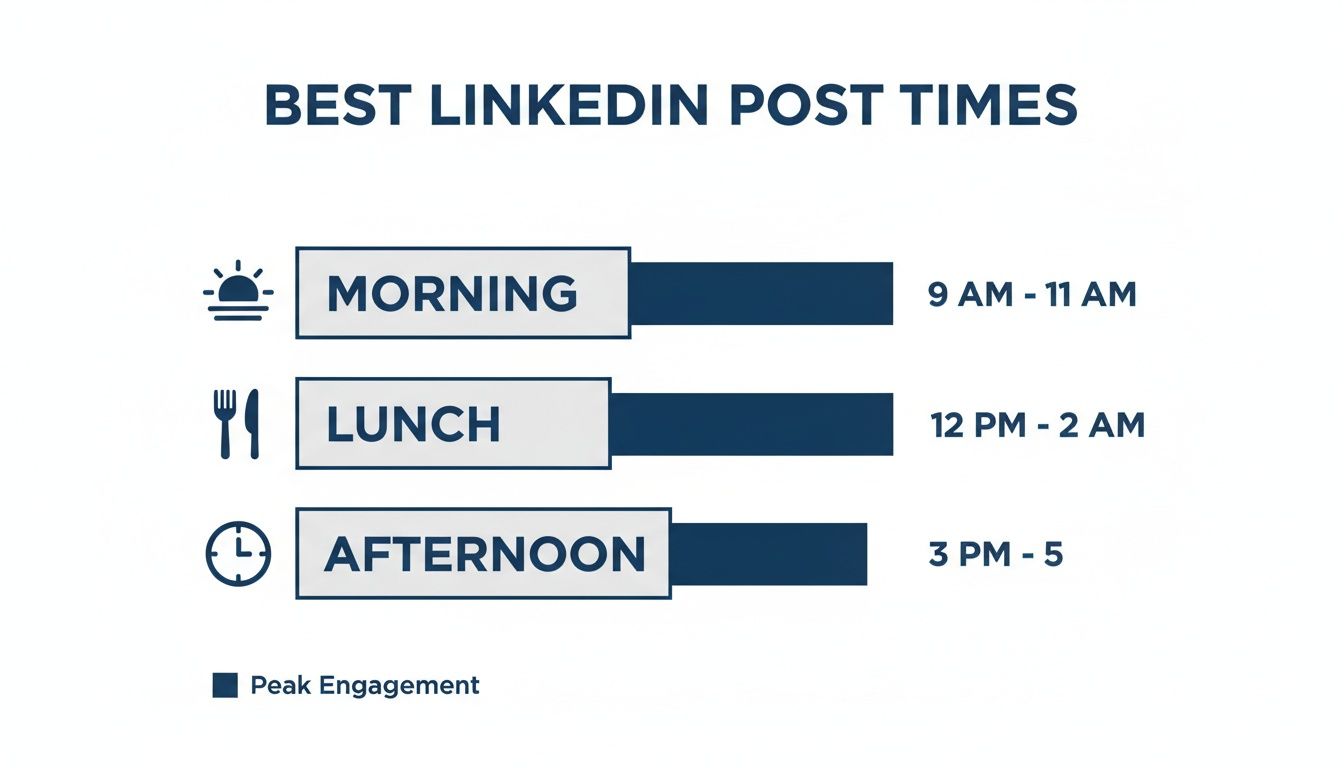
Scheduling posts for peak engagement windows
Timing dictates visibility. Pro Traffic Builder identifies when your specific audience is most active online. Align your posting schedule with these peak engagement windows to maximize initial interaction. The tool analyzes historical data to recommend optimal days and hours, such as mid-week mornings. Consistent timing trains the algorithm to prioritize your content, ensuring higher organic reach without relying on paid boosts or erratic posting habits. -

Automating follow-back sequences for growth
Reciprocity accelerates follower counts. Enable Pro Traffic Builder’s automated follow-back features to instantly acknowledge new followers who meet your criteria. This systematic approach builds community loyalty and encourages mutual engagement. Instead of manually tracking interactions, let the tool handle initial outreach. This efficiency saves time while fostering a sense of personal connection, turning casual viewers into dedicated community members through consistent, automated responsiveness. -
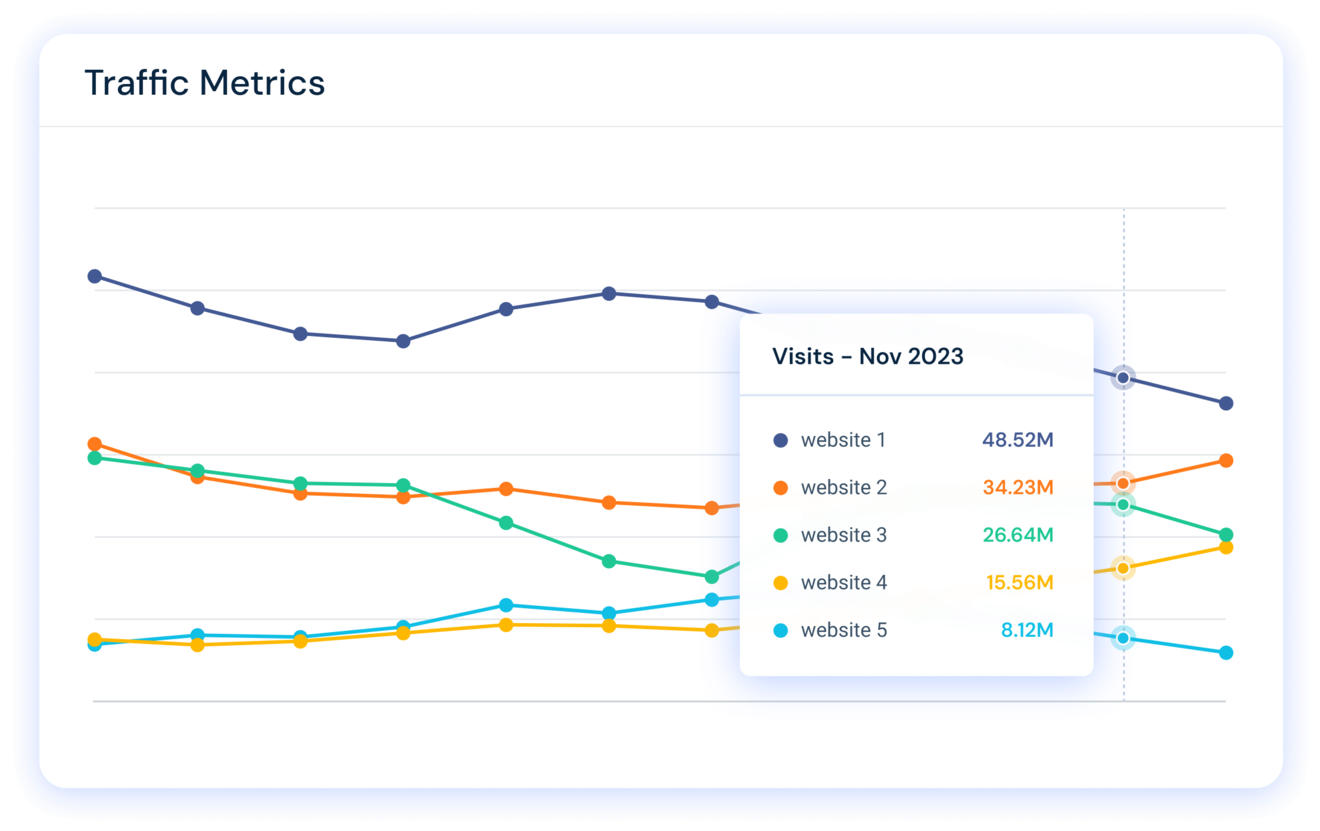
Analyzing competitor traffic sources with the tool
Learn from industry leaders. Pro Traffic Builder allows you to dissect competitor strategies by revealing their top traffic sources and engagement tactics. Identify which platforms drive their growth and adapt those insights to your own campaigns. This competitive intelligence helps you spot gaps in the market and replicate successful patterns. By understanding where competitors succeed, you can refine your content strategy to capture similar audiences effectively. -

Optimizing bio links for higher conversion rates
Your bio is your digital storefront. Pro Traffic Builder helps you test and optimize bio link placements for maximum click-through rates. Ensure your primary call-to-action is prominent and relevant to your latest content. A streamlined link structure reduces friction, guiding followers directly to your desired destination. Regularly update these links to reflect current campaigns, ensuring every visitor has a clear path to engage further with your brand.
Setting up your Pro Traffic Builder workflow
Before you can leverage Pro Traffic Builder to gain followers, you need to configure the environment correctly. This tool automates browser interactions using Playwright to simulate realistic web traffic, meaning your account settings must align with platform safety standards to avoid detection.
Step 1: Configure Browser Profiles
Start by setting up distinct browser profiles for each social media account. Pro Traffic Builder relies on unique fingerprints to mimic organic user behavior. Avoid using the same IP address or user agent string across multiple accounts, as this triggers spam filters on platforms like Instagram and TikTok.
Step 2: Select Your Traffic Sources
Choose the specific traffic sources that best match your growth strategy. You can select between direct social traffic, search engine referrals, or external website links. For rapid follower growth, prioritize direct social traffic sources that mimic natural discovery patterns on the platform.
Step 3: Define Target Parameters
Set precise parameters for your target audience. Input relevant hashtags, competitor profiles, or interest-based targeting options. The more specific your Pro Traffic Builder settings, the higher the likelihood that the simulated traffic will engage with your content and follow your profile.
Step 4: Initiate and Monitor Campaigns
Launch your campaign with a modest initial budget to test effectiveness. Monitor the engagement rates closely during the first few hours. Adjust your targeting criteria if the traffic volume is high but follower conversion is low, ensuring your Pro Traffic Builder workflow remains efficient and cost-effective.
Track progress and adjust tactics
Reaching 1,000 followers is not a set-and-forget task. It requires constant calibration based on real data. Pro Traffic Builder provides the real-time reporting dashboards needed to see exactly how your campaigns are performing. Without this visibility, you are guessing rather than growing.
Log in to your dashboard at least once a week. Look for the follower acquisition rate in your campaign reports. If a specific strategy yields a high click-through rate but low follower conversion, the issue lies in your landing page or offer, not the traffic source. Conversely, if traffic is high but engagement is low, your target audience may be misaligned.
Use these insights to tweak your settings. Adjust targeting parameters, change call-to-action buttons, or pause underperforming ads. This iterative process ensures that every dollar and minute spent moves you closer to your 1k goal. Consistent monitoring turns random traffic into a predictable growth engine.
Common questions about Pro Traffic Builder
Users often have specific concerns about using Pro Traffic Builder for social media growth. Here are answers to the most frequent questions regarding safety, mechanics, and results.
Work through Algorithm Shifts


No comments yet. Be the first to share your thoughts!